Configuration
Approved announcers
This feature prevents companies from registering visitors at a location without a partnership agreement. Customers using this functionality for their locations are not visible to visiting companies if they are not included in the list of approved announcers. This functionality is only available with the "Admin" role. In the Prean web application, you can find the "Configuration" option at the top of the menu.
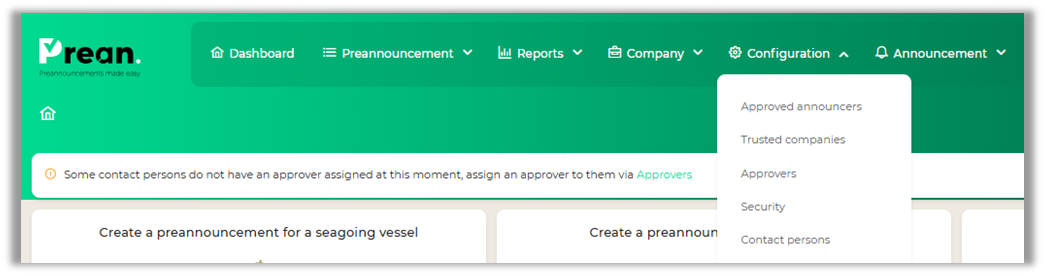
Clicking this will reveal the "Approved announcers" option. You are brought to the following screen:
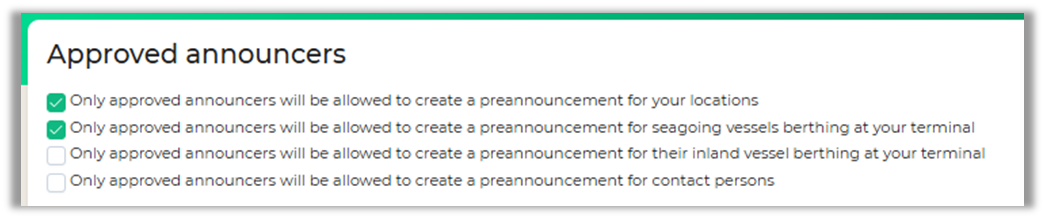
Checking this option will remove your company and its locations from the list of locations where pre-registrations can be made for the general public.
The following screen appears once an option is checked:
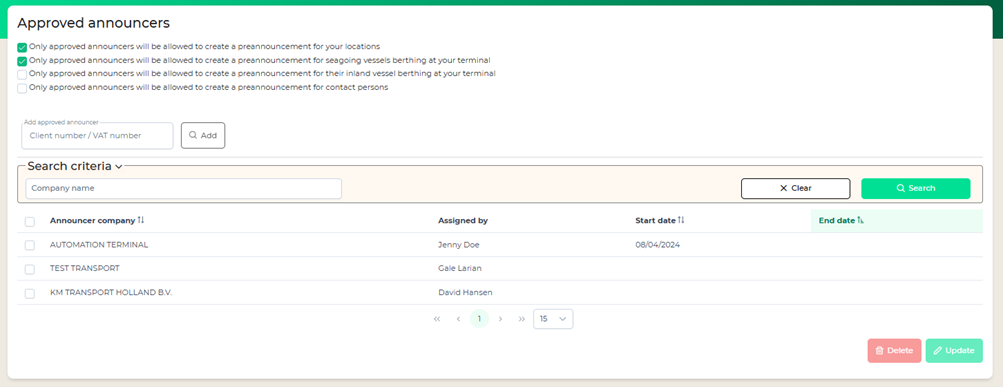
Companies listed above can see your location in the “Create a preannouncement for a location” screen.
Add an approved announcer
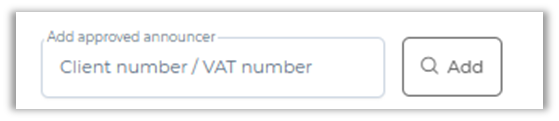
The applicant's company must have a registered account on Prean. Once this is known, you can add the company using their VAT number or (Prean) customer number.
In the next pop-up screen, you can enter a start and end date.
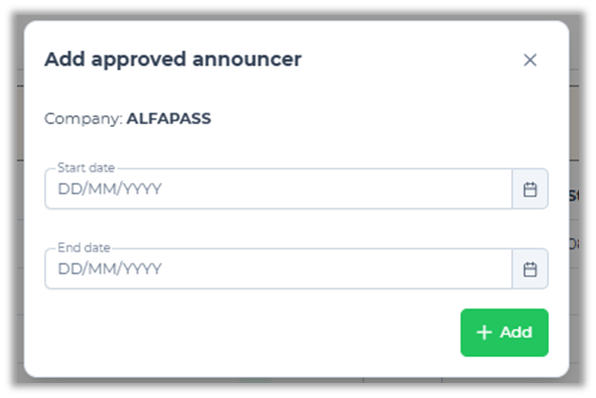
Please note: If you enter an end date, the company will no longer be able to create preannouncements for your location/terminal after this date.
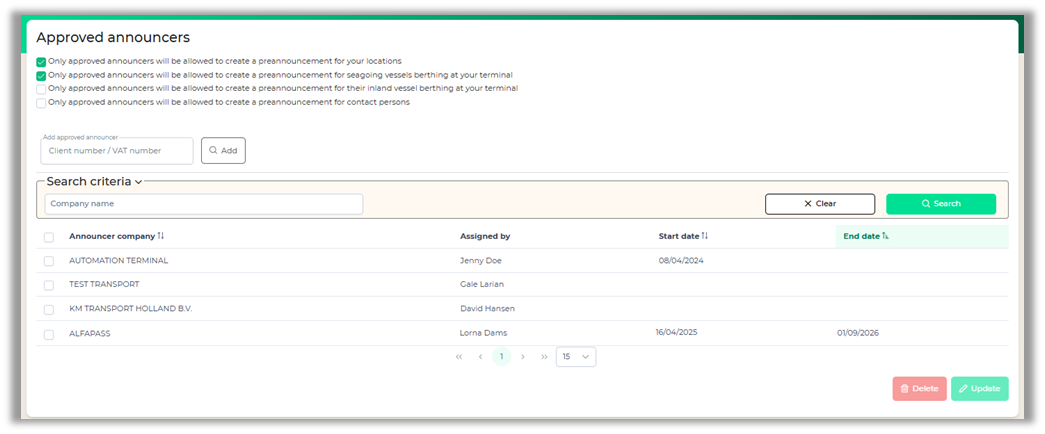
The company added will appear in the overview
Editing an approved announcer
Contracts can be extended or terminated early. This allows you to edit or delete data. You can do this by selecting a company. Once a company is selected, the "Edit" and "Delete" buttons become clickable.

Update allows you to edit the dates. If you select more than one company for an update, the new date will be displayed on the screen. For example, if you only enter an end date, only the end date will appear in the overview; the previous start date will no longer be visible.
Delete effectively deletes the record. Companies with an end date more than three months in the past are automatically removed from the list.
Search criteria allow you to search by company name.
Trusted companies
Access the trusted companies feature via your dashboard or the configuration menu.

This overview shows all the companies you've trusted. You can see who trusted these companies and when. The "Days Remaining" column lets you easily see how many days a company has been trusted.
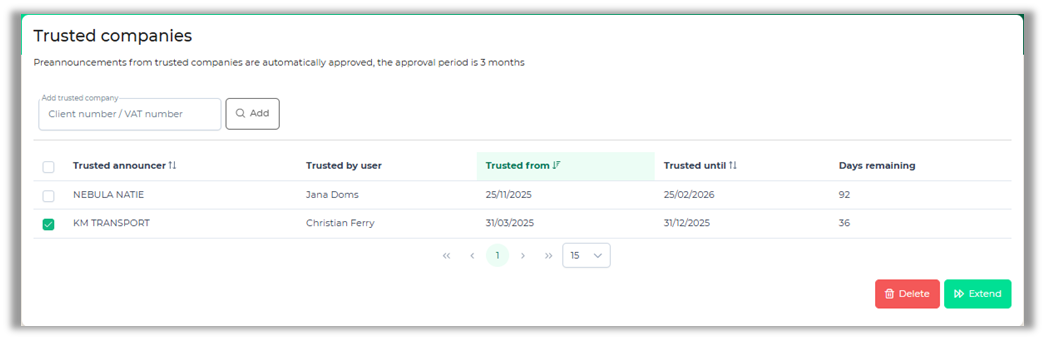
If you select the record, you can delete or extend their trusted status for 30 days.
Remember that all preannouncements from companies with the trusted status will be automatically approved.
Approvers
Your company's admin can set up approvers under "Configuration - Approvers."
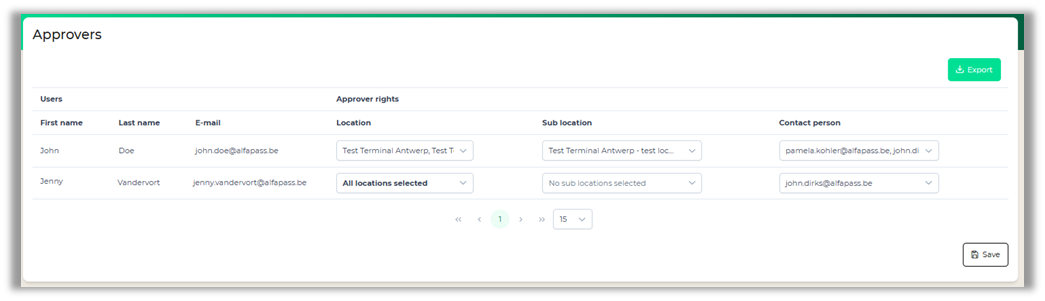
For ship-related preannouncements, you only need to register the "Location" field.
For non-ship-related preannouncements, you also need to register the "Sub-Location." It's also possible to be the approver for a contact person. This person is only linked to a location. In this case, the sub-location is assigned by the approver when approving a preannouncement.
Each location or contact person must have at least one approver. If this isn't the case, the admin can find this information in the yellow bar on their dashboard.

Security
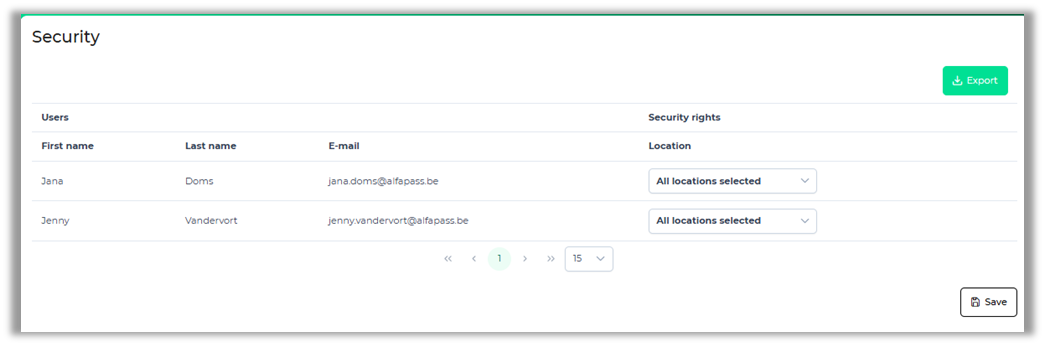
Using the "Security" screen, you can specify which of your users with the "Security" role can register visitors and at which location. You can select one or more locations.
Contact persons
A contact person is always linked to your company and to one or several locations within your company. It’s possible for approved announcers to create a preannouncement for one of your contact persons.
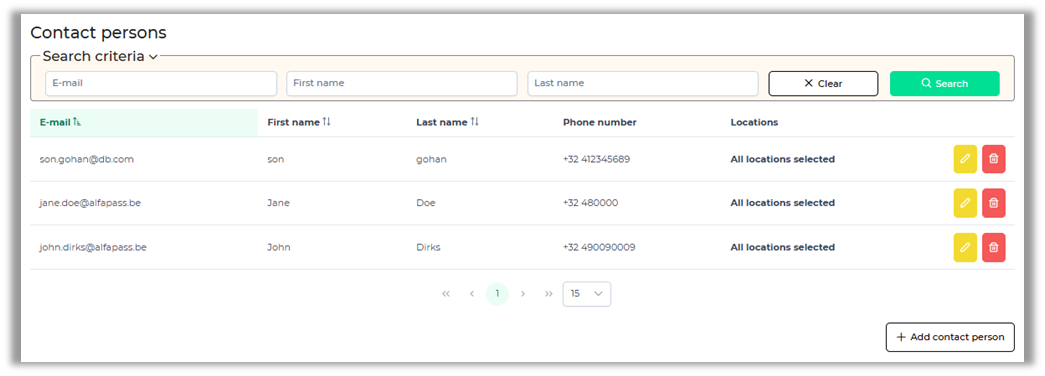
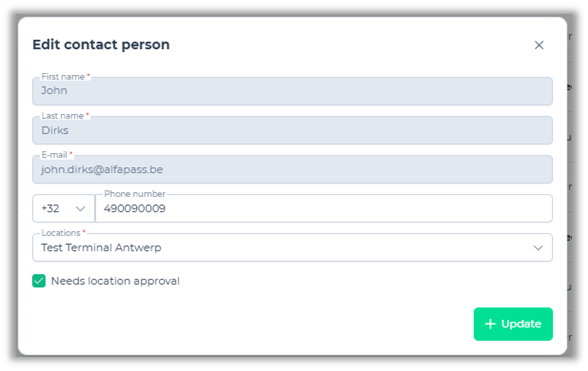
Click the ‘Add contact person’ to add a new contact person. Fill in the required fields and optionally a phone number. From the Location dropdown list, please select the ones you wish to link to this contact person.
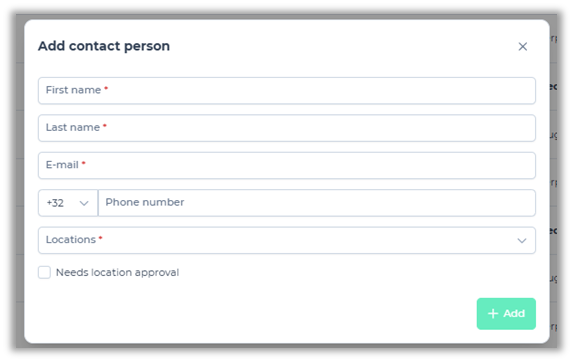
It’s possible to edit or delete a contact person. When editing one, it will only be possible to edit the phone number, the linked locations and if the preannouncement requires separate location approval.