Search preannouncements
Overview and search criteria
You can find an overview of all preannouncements for ships or locations at your terminal here. To get an overview of these preannouncements, click on the "Search preannouncements" button.
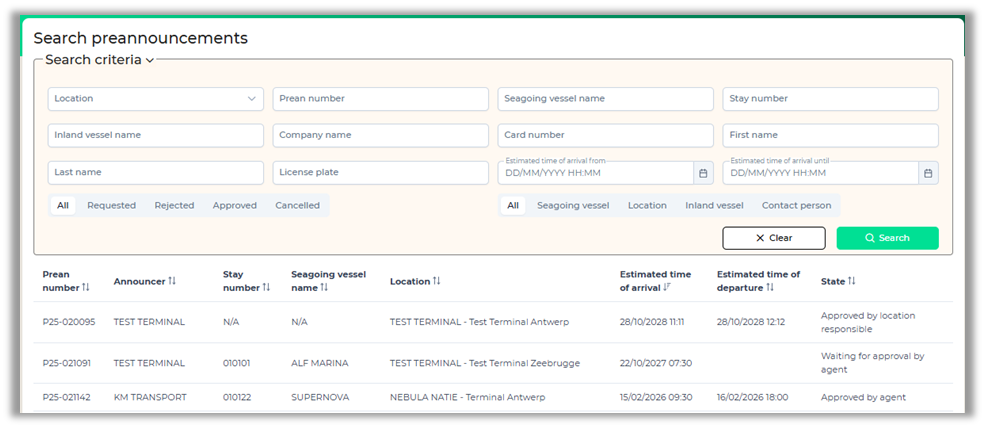
At the top of the screen, you will see the search criteria. There are several fields and options available to set up and refine your search.
Retrieving a preannouncement by means of a barcode
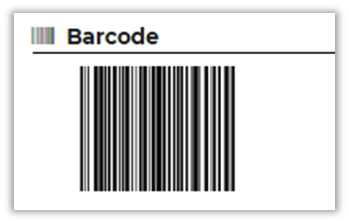
Each preannouncement has its own barcode. If you have connected a scanner, you can scan the barcode of the preannouncement from the overview. To do this, your cursor must be in the Prean number field in the search criteria. By scanning the barcode, the correct preannouncement will be found and opened immediately.
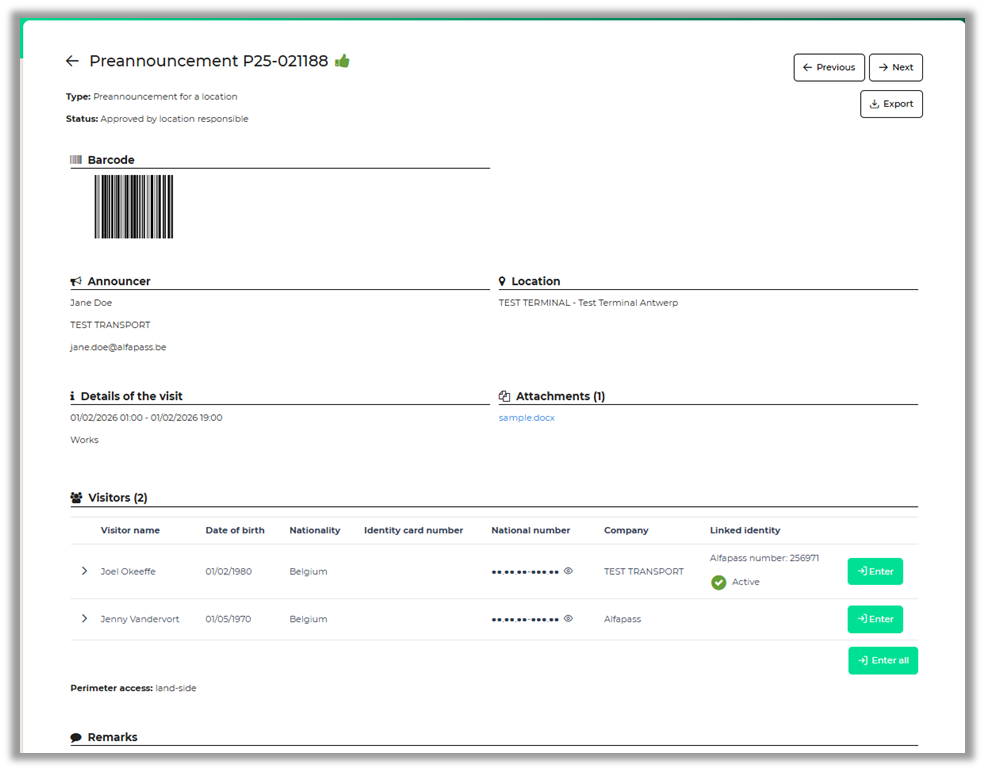
Preannouncement details
When you have opened the preannouncement, you will see a more detailed picture of who the applicant was, who the visitors are, what the reason for the visit is, etc.
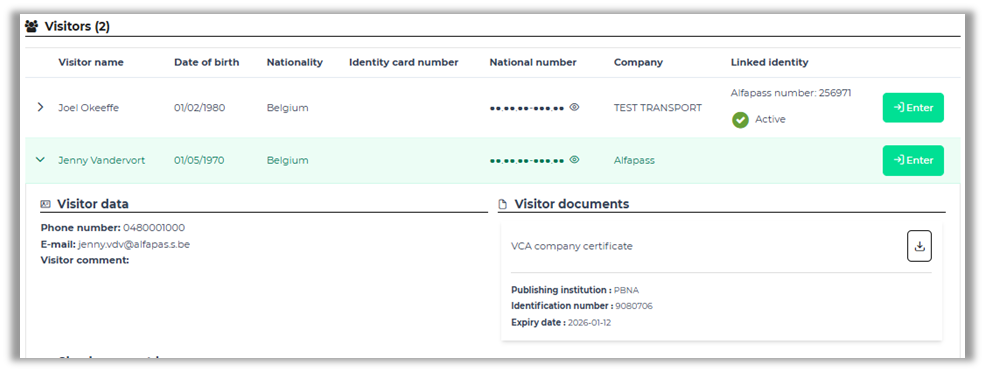
When you click on a visitor, you will see more information about the person. Some terminals require the possession of certificates or official documents to enter a venue. If a visitor has these documents, they can also be consulted here.
Use of arrival and exit buttons for a visitor
Via these buttons you can indicate whether the visitor enters or leaves the perimeter.
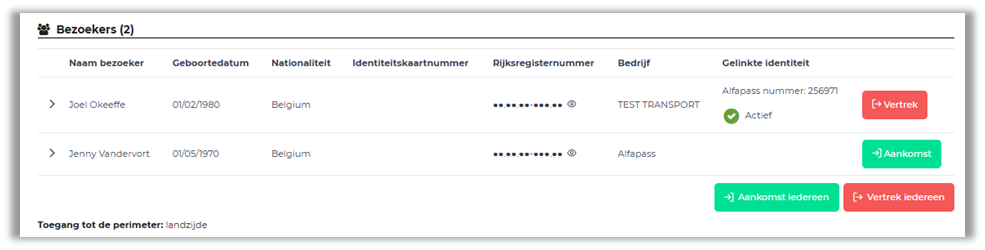
You can enter visitor per visitor, or all visitors of a preannouncement at the same time, via the buttons "Arrival", "Arrival everyone", "Departure" or "Departure everyone". In the pop-up that appears when reporting an arrival, the fields that were already known thanks to the preannouncement are already filled in. For a visitor without an Alfapass, a separate field 'visitor card number' is available.
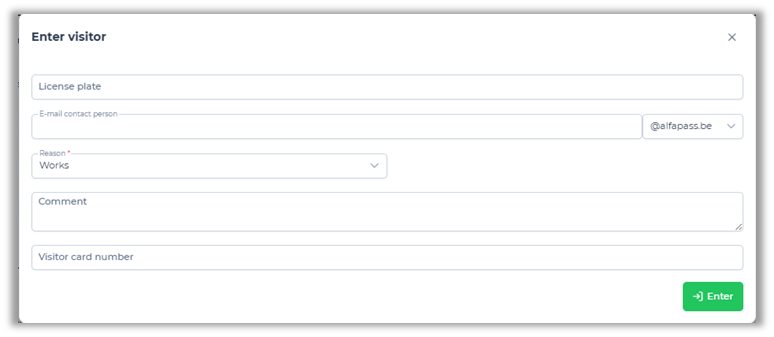
For a visitor with an Alfapass, no card number needs to be entered, because the Alfapass can also be used.
For more information about the integration possibilities with Alfapass, you can email your question to info@alfapass.be.