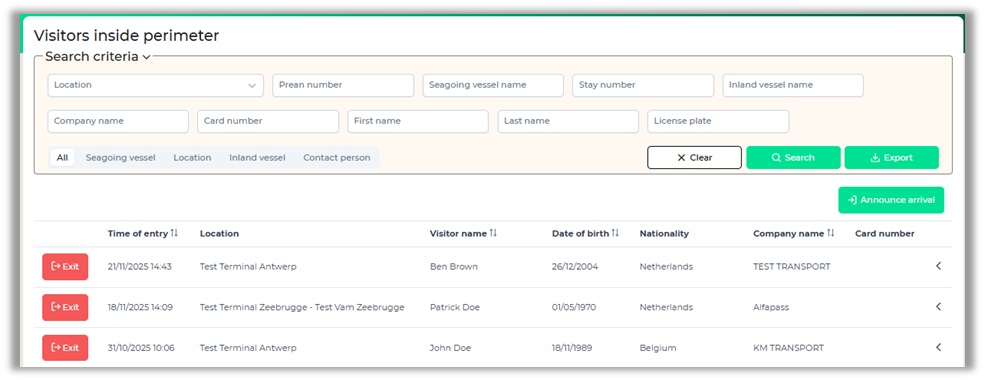
Visitors inside perimeter
This screen gives you an overview of the visitors who are currently registered within the perimeter. You can search for visitors via the Prean number, Alfapass number/card number, name or company name.
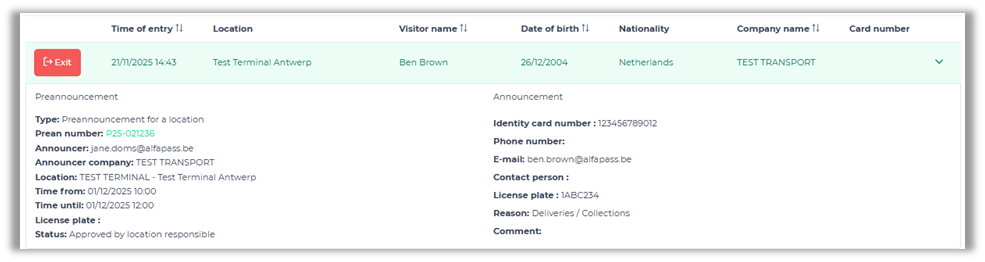
When you click on a row, you will see more information about the visitor and the preannouncement (if one exists).
You can indicate the visitors as "exited" by clicking on the "Exit" button.
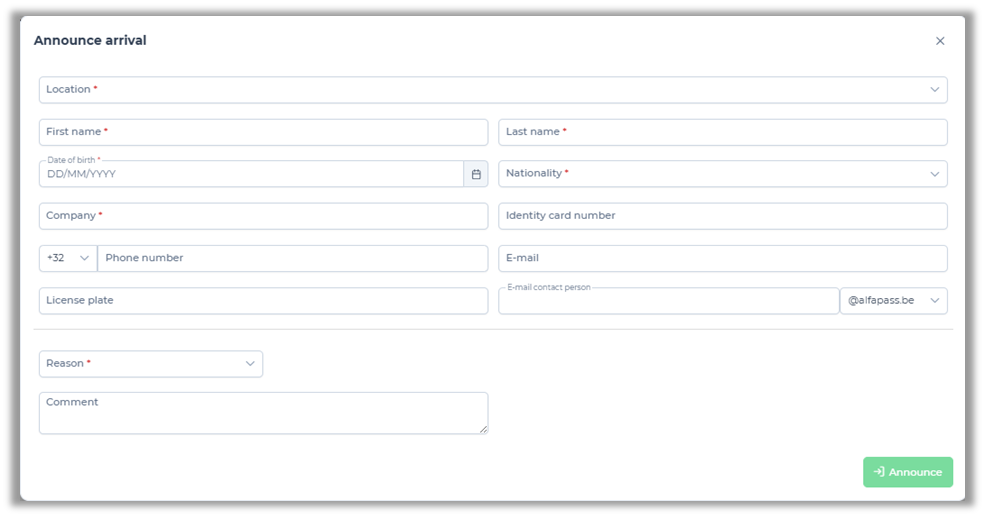
Also, on the same page you will find the "Announce arrival" button. This button is available when it is allowed to register visitors who are not linked to a preannouncement.