Documentation for the agency
Approving or rejecting preannouncements
You can approve or reject preannouncements for visitors of vessels handled by your agency. You will receive an approval e-mail for these preannouncements on the e-mail address(es) or email-group(s) configured by Alfapass. There is a link in the mail that will redirect you to the Prean to evaluate the preannouncement.
Contact info@prean.be if you want to change the addressees of these emails.
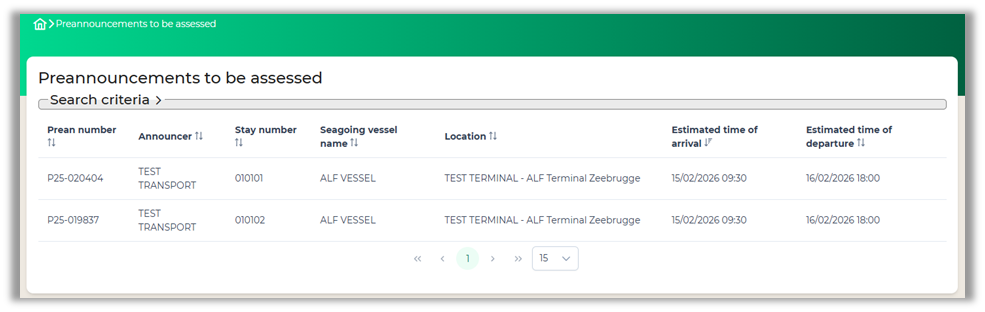
Approving or rejecting preannouncements can be done by opening the view ‘Preannouncement to be assessed’. In this view you can evaluate a preannouncement by clicking on a record.
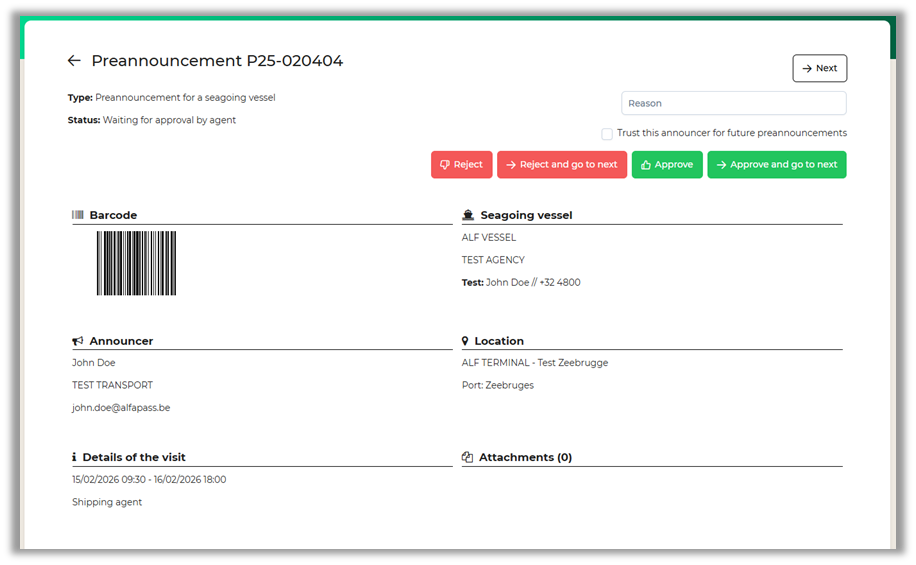
This will open a more detailed view of the preannouncement and features the vessel information, the announcer, location and details of the visit.
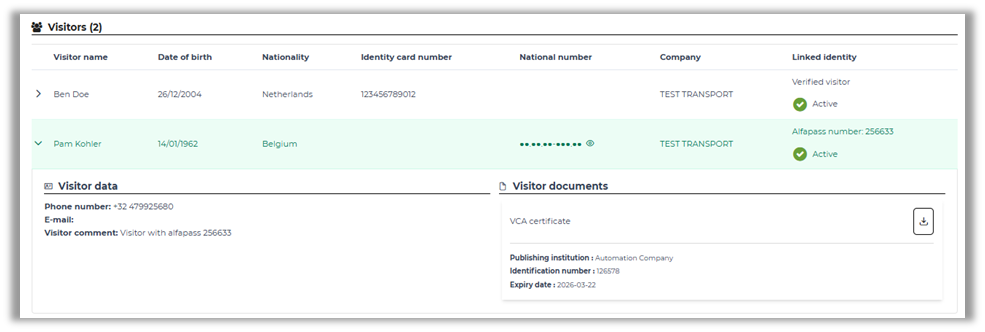
You can receive more information about the visitor by clicking on the row. Some terminals require specific certification or official documents to allow access. Whenever a visitor is in possession of these documents, they can be downloaded here.
There will be four buttons available on the top of the page (there will only be two buttons if this is the only preannouncement in the list) The following actions can be done:
- Reject
- Reject and go to the next
- Approve
- Approve and go to the next
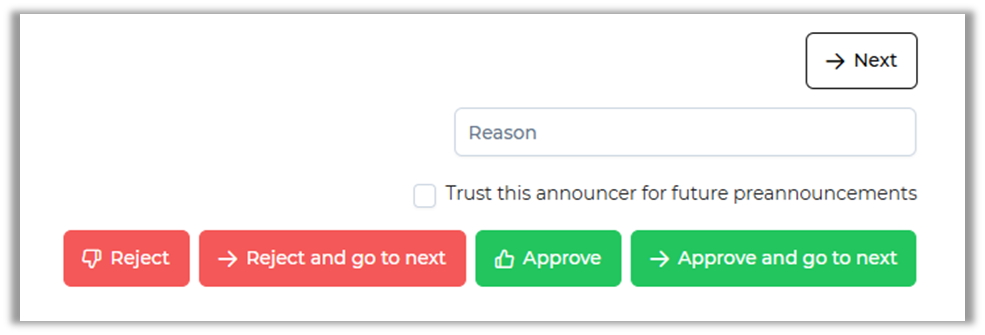
Keep in mind that when rejecting a preannouncement, the reason will be required.