How to follow up on created preannouncements
1. Overview
To gain more insight into previously created preannouncements, your dashboard will provide two options: My Preannouncements and My Statistics.

My Preannouncements will bring you to an overview of all created preannouncements while My Statistics already filters these preannouncements depending on the status you have chosen. This allows you for example to immediately single out the preannouncements that are waiting for any kind of approval.
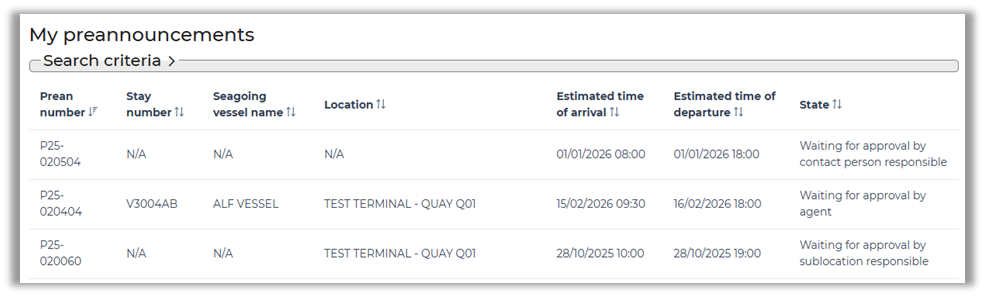
2. Using search criteria
Regardless of how you navigate to the overview, a click on ‘Search criteria’ will expand a view with several input fields and buttons that allow you to narrow down your preannouncements.
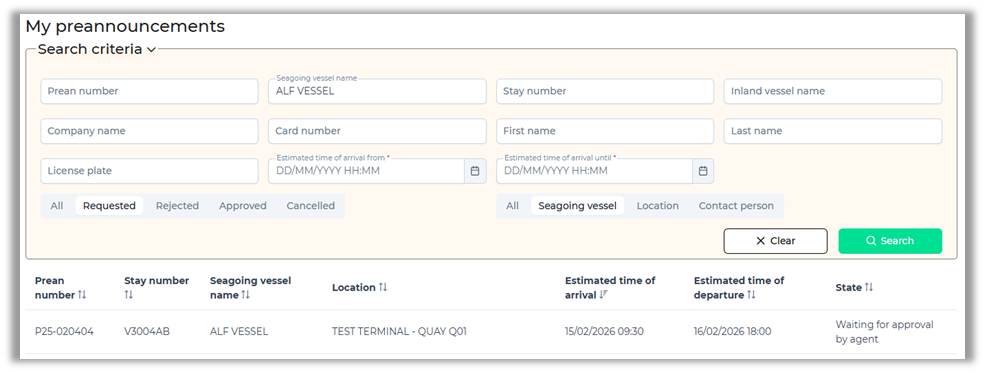
When you click on the preannouncement you are brought back to the details.
3. Preannouncement details and copy
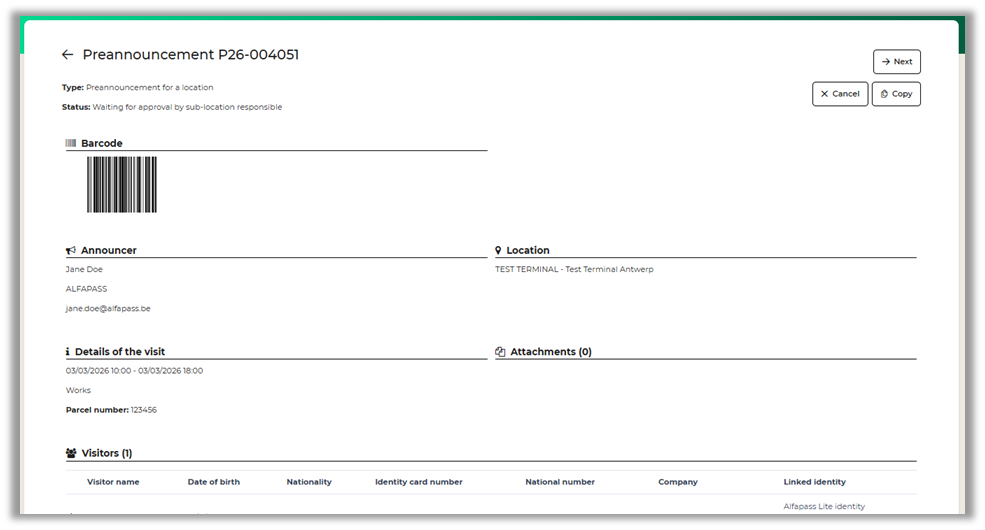
This will provide an overview of the preannouncement, its status and will allow you to copy the preannouncement if needed. By clicking on the Copy button, you are brought in the process to create a preannouncement but this time most fields will be filled in already including, location, visitor, comments and more. Visitor documents however are not stored on a preannouncement so these will need to be added.
Contact and support
For any questions or support please contact info@prean.be.